I Built an AI Instagram Bot That Runs Entirely on My Mac — Here's What Happened
A tale of local LLMs, ComfyUI, Meta drama, and a model that really, really loves trees.
The Problem
Every morning I send good morning images to people I care about. For years I've been recycling the same tired Facebook stock images — sunsets with Comic Sans quotes, that kind of thing. One day I thought: I have a Mac M4, Ollama running locally, ComfyUI set up for fun — why am I sending people clip art?
That thought turned into a two-week rabbit hole that ended with a fully automated AI content pipeline posting to Instagram daily, a Telegram bot that lets me approve posts from my phone, and more images of misty forests than I ever asked for.
This is that story.
The Stack
Everything runs locally. No cloud, no GPU rental, no monthly AI API bills.
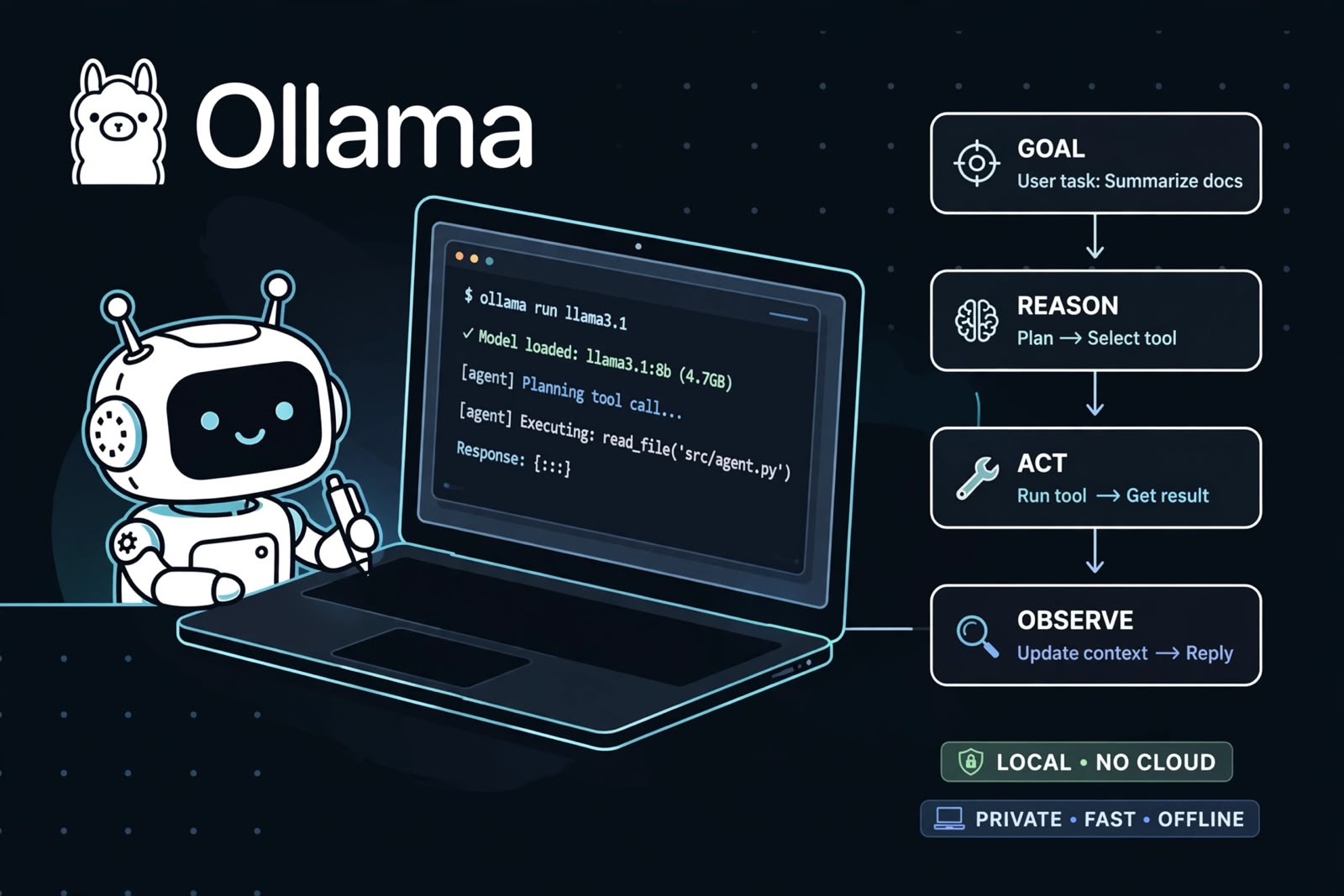
- Ollama + Qwen3:8b — the brain. Generates image prompts and captions
- ComfyUI + DreamShaper XL — the hands. Turns prompts into images
- Flask + SQLite — approval UI and post history
- pyngrok — exposes local images to the internet so Instagram can pull them
- Instagram Graph API — the annoying bit (more on this later)
- Telegram Bot API — approve/reject posts straight from my phone
- Pexels API — visual inspiration for prompt generation
- Python scheduler — ties it all together and runs daily
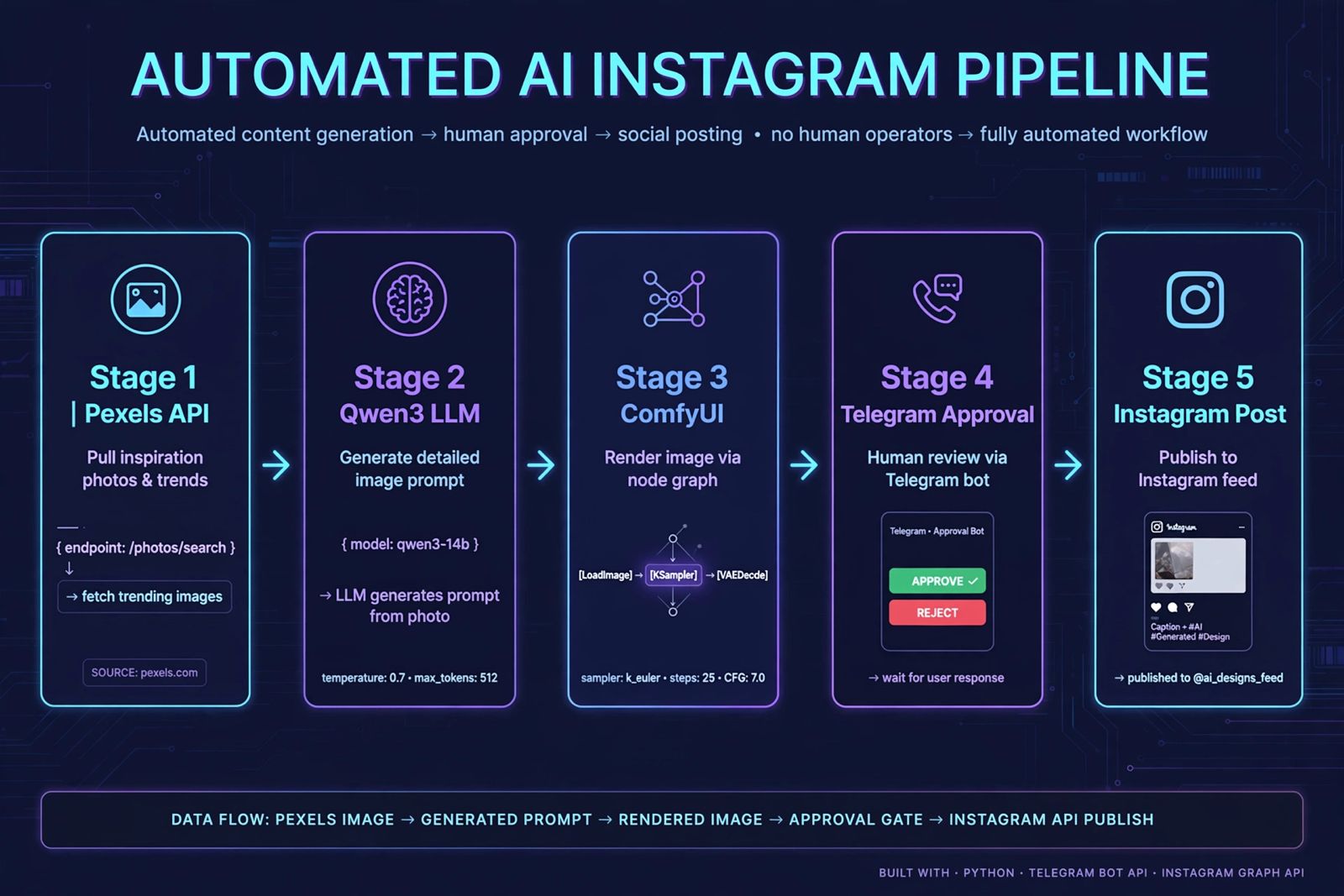
The whole thing runs as a single python scheduler.py command. One process, everything starts automatically.
The Architecture
Daily Schedule (8:00 AM)
    ↓
Pexels API → pulls 5 curated photos matching a random environment
    ↓
Qwen3:8b → generates atmospheric image prompt from photo descriptions
    ↓
ComfyUI → generates 1080x1350 image (17 minutes on M4, we don't rush)
    ↓
Qwen3:8b → generates caption + hashtags
    ↓
SQLite → saves as "pending"
    ↓
Telegram Bot → sends image to my phone with ✅ Approve / 🚀 Post Now / ❌ Reject buttons
    ↓
Instagram Graph API → posts on approval
Simple on paper. Chaotic in practice.
Building the Pipeline
Step 1: The Idea Generator
The first version used BBC News RSS feeds for "inspiration." The logic was that trending topics would keep the content fresh and timely.
The first prompt Qwen generated from BBC headlines:
"A lone soldier in a weathered military jacket stands at the edge of a forest, a parachute half-unfurled at their feet, while a distant boat cuts through waves, its passengers in life jackets silhouetted against a stormy sky."
The headlines that produced this masterpiece: Starmer's leadership crisis, a Briton with hantavirus, a cruise ship evacuation in Tenerife, Victory Day in Moscow, and a teacher's strike.
Qwen had synthesised five completely unrelated news stories into one coherent — if chaotic — scene. The image it generated was actually a moody marsh with dramatic storm clouds. Not what was described, but genuinely beautiful.
We added a keyword filter immediately:
SKIP_KEYWORDS = ["election", "president", "minister", "war", "killed",
                 "attack", "trump", "politics"]
Step 2: Switching to Pexels
RSS was unpredictable. We switched to the Pexels API — curated photography with rich descriptions. Instead of news headlines, Qwen now gets 5 photo descriptions as visual inspiration.
The difference was immediate. A search for "arctic landscape" produced:
"Aerial shot of fractured sea ice, blue-white geometric patterns, vast frozen expanse under diffused polar light"
Qwen turned that into:
"A translucent frozen lake reflects a violet twilight sky, geometric ice fractures glowing with faint bioluminescent light from below, snowdrift edges catching the last warmth of a dying sun"
That's the kind of prompt RSS could never reliably produce.
Step 3: The Tree Problem
Here's where it gets funny.
No matter what we told Qwen to generate, ComfyUI produced forests. Desert sunrise query? Forest. Tropical storm? Forest. Arctic glacier? Mossy forest with a stream.
The Pexels query "tropical storm sky" produced this prompt from Qwen:
"Coconut palms bending in storm winds, dramatic dark clouds, rain-lashed shore..."
ComfyUI's interpretation: a misty moss-covered forest with a small stream.
We attacked it from both sides. The Qwen prompt now includes:
f"IMPORTANT: The scene MUST be set in: {query}. Absolutely NO forests, trees, or woodland. This is non-negotiable."
And the ComfyUI negative prompt now includes:
forest, trees, woodland, moss, tree trunk
Results: still occasionally forested. DreamShaper XL has strong opinions about nature.
The Meta Saga
This deserves its own section.
Getting the Instagram Graph API working took three days and involved:
- Creating a new Facebook account → permanently banned on day one for "not following community standards"
- Creating an app on Meta Developer portal → blank popup that never closed
- Discovering the
business_managementpermission was the missing piece forme/accountsreturning empty arrays (not documented anywhere obvious) - A brief detour into Buffer → their API now uses OIDC tokens incompatible with the classic v1 endpoint
- An even briefer detour into Zapier → 100 tasks/month free tier
- Back to Meta → finally working after adding the right permissions
The fix that unlocked everything was adding business_management to the Graph API Explorer permissions before generating the token. Once that was in, me/accounts returned the Facebook Page with the linked Instagram business account ID.
The long-lived token (60 days) is obtained by exchanging the short-lived token:
curl "https://graph.facebook.com/v19.0/oauth/access_token
  ?grant_type=fb_exchange_token
  &client_id=APP_ID
  &client_secret=APP_SECRET
  &fb_exchange_token=SHORT_LIVED_TOKEN"
Set a calendar reminder for day 50.
The Approval UI
A dead simple Flask app running on localhost:5000. Three actions per post:
- Approve — queues for scheduled posting
- Post Now — fires immediately
- Reject — bins it
But the real magic is the Telegram integration. When a post is generated, it lands on my phone as an image with three inline buttons. I tap one, the DB updates, the buttons disappear. I never need to open a browser.
requests.post(f"{TELEGRAM_API}/sendPhoto",
    data={
        "chat_id": CHAT_ID,
        "caption": f"New post ready\n\n{prompt[:200]}",
        "reply_markup": json.dumps({"inline_keyboard": [[
            {"text": "✅ Approve", "callback_data": f"approve:{post_id}"},
            {"text": "🚀 Post Now", "callback_data": f"postnow:{post_id}"},
            {"text": "❌ Reject",  "callback_data": f"reject:{post_id}"}
        ]]})
    },
    files={"photo": img}
)
The Good Morning Bot
As a side project within the project, I built a morning image bot. Same ComfyUI pipeline but different prompt strategy:
- Pulls a random motivational quote from Quotable.io (filtered — no "where violence reigns, reason is weak" at 6am)
- Gets today's date, day of week, and season
- Generates a warm, uplifting scene inspired by the quote
- Adds text overlay with Pillow — gradient background, wrapped quote text, gold "Good Morning — Monday" line
- Sends to Telegram at 9:30 PM IST (ready to forward in the morning)
The Pillow overlay has one gotcha: emoji in text causes a black box with system fonts. Remove emojis from the overlay text and use words instead.
The Images
Here's what the pipeline actually produces. A few highlights:
Aurora Borealis — generated from Colossal art blog headlines about Milky Way photography. Qwen extracted the mood, not the literal content.
Bioluminescent Forest — DreamShaper's favourite subject, but genuinely stunning. Glowing trees, winding stream, purple flowers. The 126k follower account that DMed asking for the image and then tried to charge for promotion was less impressive.
Misty Morning Sunrise — cherry blossom trees, mountain backdrop, perfect reflection. Generated from "Three Decades of Paul Nicklen's Remarkable Photographs Exalt Nature."
Swirling Landscape — the one that broke the tree streak. Iridescent red and orange dunes with fractal-like patterns. The model just decided to go abstract one day.
What I Learned
Qwen3:8b is surprisingly creative when given good input. RSS headlines → chaotic. Pexels photo descriptions → consistently beautiful. The quality of the inspiration source matters as much as the prompt engineering.
DreamShaper XL defaults to forests. Fighting the model's biases requires attacking from both sides — Qwen prompt constraints AND ComfyUI negative prompts. Even then, trees find a way.
The Instagram Graph API is not that bad once you have the right permissions. The documentation doesn't make this obvious. business_management is the key.
Telegram bots are criminally underrated for personal automation. The inline button approval flow took 30 minutes to build and completely replaced the need for a mobile-friendly web UI.
10 posts is nothing. The algorithm needs 30-50 posts to understand your account. Posting consistently matters more than any individual image quality.
17 minutes per image is fine when it's a daily job. M4 + DreamShaper XL at 1080x1350 with 30 steps. Time is not of the essence.
What's Next
- Adobe Color palette integration — give Qwen a trending colour palette alongside the Pexels inspiration. More intentional colour direction.
- Reels export — slow zoom on generated images as 15-second videos. Instagram's algorithm heavily favours Reels over static posts.
- Token auto-refresh — the 60-day Instagram token needs a scheduler job to refresh itself on day 50.
- Multiple niches — rotate between surreal nature, cosmic/space, and abstract geometry on different days.
- Cara.app cross-posting — the AI art community there is far more genuine than Instagram.
The Code
The full project is on GitHub at github.com/yourusername/instabot.
Stack summary: Python · Ollama (Qwen3:8b) · ComfyUI (DreamShaper XL) · Flask · SQLite · pyngrok · Instagram Graph API · Telegram Bot API · Pexels API
If you build something with it, or if you have suggestions for defeating the tree problem, I'd love to hear about it.
The account is @lumen_wilds on Instagram. Worlds that don't exist, rendered in light. 🤖 100% AI generated.